A few Python scripts that I wrote by hand before AI-assisted coding was a viable option. These fun projects all started with a concrete problem (or just a curiosity) and ended with something that actually ran.
01
Personal Project · Python · Twitter API · OpenAI · GCP
Personal Project · 2023
DALL·ETweetBot
A fully autonomous hourly Google Cloud routine that uses three APIs to scrape top Reuters headlines,
generate an AI image with DALL·E and write hashtags via ChatGPT,
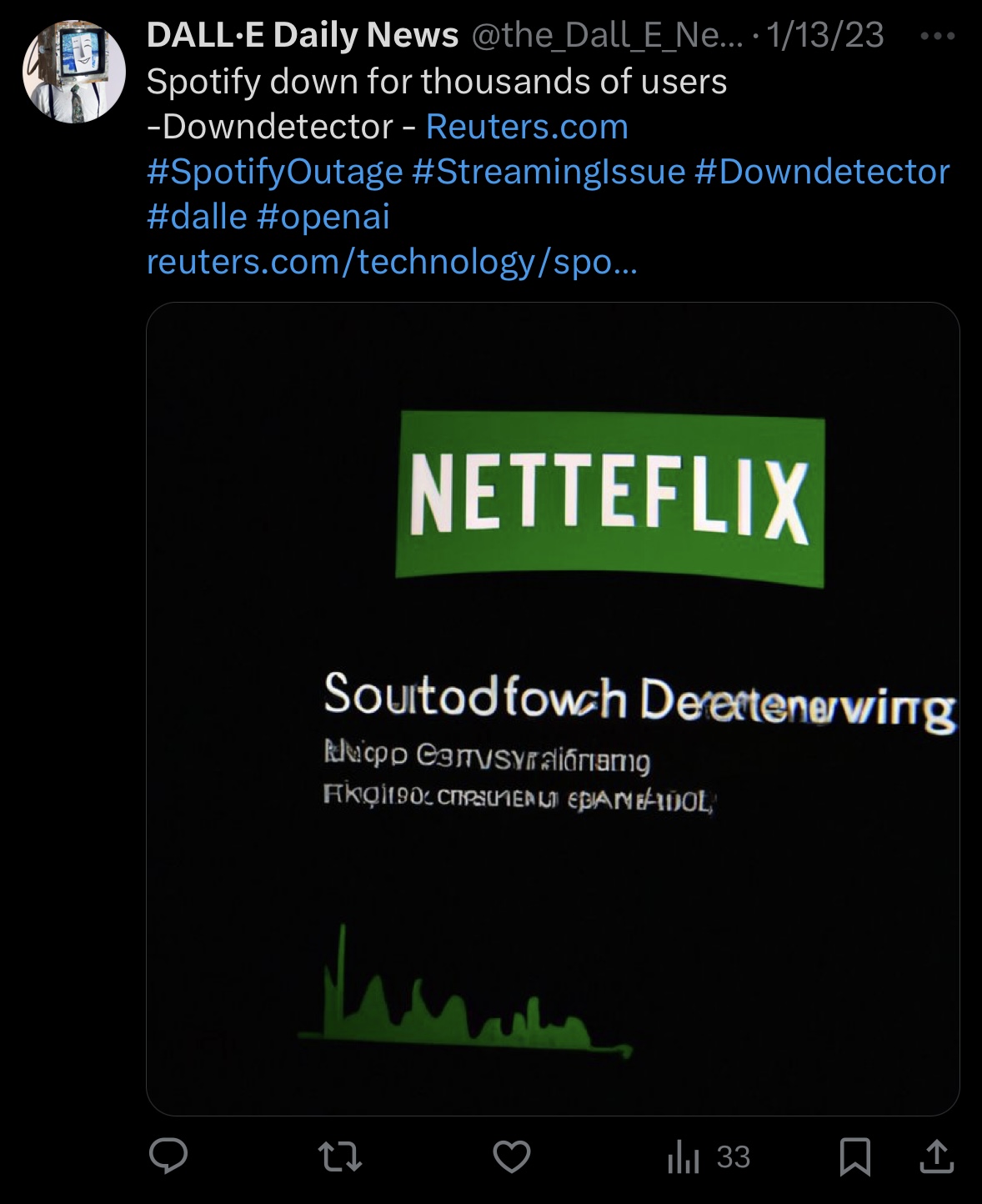
and posts the whole thing to Twitter. These are a few of its actual Tweets.
View on GitHub ↗
Queries NewsAPI for the day's top Reuters articles. Iterates through results, sanitising flagged terms before passing the title forward.
NewsAPI
02 — Generate
Create the image
Sends the article headline as a prompt to DALL·E. Saves the 1024×1024 result to /tmp and uploads it via Tweepy's media API.
DALL·E API
03 — Write
Pick the hashtags
Asks GPT-3 for the best three hashtags for the headline, appended alongside hard-coded #dalle and #openai.
GPT-3
04 — Post
Tweet it
Tweepy's OAuth1 handler fires the status update — headline, hashtags, article URL, and the DALL·E image — to @the_Dall_E_News.
Twitter API v1
Background
A learning project that actually shipped
When DALL·E first dropped, the images it created were often hilariously bad, and I thought it'd be interesting to imagine a world in which AI interprets and portrays the news in its own whimsical way. The goal was simple: learn how to chain a few APIs together to create an AI newsroom.
The account ran under @the_Dall_E_News for a couple of months. Every hour on the hour, a Google Cloud chron job kicked off, posting 24 tweets a day without any manual input... until the free OpenAI credits ran out.
02
Work Script · Python · Selenium
Work Project · Python
OPRAEnrollmentChecker
A simple tool for verifying NYS OPRA enrollment status for a list of provider NPIs.
Reads from a CSV, queries the eMedNY site via Selenium, and saves results
to two output files — enrolled and not enrolled.
View on GitHub ↗
Output files
Enrolled
passed_NPIs.csv
Not enrolled
failed_NPIs.txt
Input
NPIs.csv
How it works
Read, query, save
Loops through a list of NPIs, queries the eMedNY OPRA site for each one, and sorts results into two output files.
01 — Input
Read the NPI list
Reads provider NPIs from a local NPIs.csv using pandas. The column name is configurable to match your file.
pandas
02 — Query
Check OPRA enrollment
A Selenium Chrome driver opens the eMedNY OPRA page, submits each NPI, and waits up to 6 seconds for results. Timeouts are flagged as not enrolled.
Selenium
03 — Save
Export the results
Enrolled NPIs — with license number, profession code, and name — go to passed_NPIs.csv. The rest go to failed_NPIs.txt.
pandas · CSV
Context
A practical work tool
Verifying OPRA enrollment required staff to open the eMedNY portal and enter each NPI by hand. This script automates the entire loop in order to check hundreds of providers at once. Selenium drives Chrome directly against the site, no API required.
For each NPI, the driver submits the form and waits up to 6 seconds for the results table. If it times out, the NPI is written to a separate file so nothing gets lost.
The final output captures NPI, license number, profession code, and provider name for every enrolled match, and gives a list of providers who are not enrolled for staff to follow up on.
03
Personal Project · Python · OpenSky API
Personal Project · 2024
LGAFlightTracker
A Python routine that uses the OpenSky Network API to identify flights
passing over a lat/lon bounding box, then scrapes SpotterLead for flight
details — airline, aircraft model, registration, and origin.
View on GitHub ↗
Console output
$ python flight_tracker.py Callsign: AAL1842 Aircraft Model: Airbus A321neo Registration: N430AN Airline: American Airlines Departing Airport: MIA - Miami Intl Callsign: DAL408 Aircraft Model: Boeing 737-900ER Registration: N827DN Airline: Delta Air Lines Departing Airport: ATL - Hartsfield-Jackson
How it works
Spot, look up, repeat
01 — Poll
Query the airspace
Calls the OpenSky Network API with a lat/lon bounding box over the LGA approach path. Returns the callsign of any aircraft currently in the zone.
OpenSky API
02 — Scrape
Look up the flight
Uses the callsign to scrape SpotterLead with a rotating user-agent. Parses embedded ld+json data for model, registration, airline, and origin airport.
BeautifulSoup
03 — Loop
Keep watching
Runs continuously, polling every 10 seconds. Deduplicates against the last-seen callsign so the same flight doesn't print twice. Handles empty zones and errors gracefully.
while loop
Background
Built from a window seat
My Brooklyn apartment had a clear line of sight to the LGA approach path. After observing the constant stream of planes passing by every day, I thought it'd be cool to know more about the flights. The OpenSky Network offers a free API with real-time state vectors, including aircraft callsigns, which allowed me to look up more info about the flight.
The bounding box coordinates were pulled from Google Maps, drawn to cover the stretch of Prospect Park that planes fly over. OpenSky returns state vectors for any aircraft in the box, and the script grabs the plane's callsign and passes it forward to SpotterLead.
SpotterLead doesn't have a public API, so the flight detail lookup is a scrape. The rotating user-agent list was added after early requests started getting blocked. The structured ld+json data turned out to be cleaner to parse than the HTML itself.